Published on: ksa.rimladev.com Tool Link: https://tiktok.rimladev.com Author: Rimla Developers Date: June 11, 2025 Read Time: 6 minutes
QUICK ANSWER (Featured Snippet Target)
To download a TikTok video without watermark, go to tiktok.rimladev.com, copy your TikTok video link from the Share button, paste it into the box, and tap Download. Your video saves in full HD with no watermark, no app required — completely free on any device in under 10 seconds.
Introduction
TikTok has become one of the biggest creative platforms in the world. Every day, millions of videos go viral — funny clips, cooking tutorials, travel reels, motivational speeches, and trending sounds that everyone wants to save.
But here is the problem.
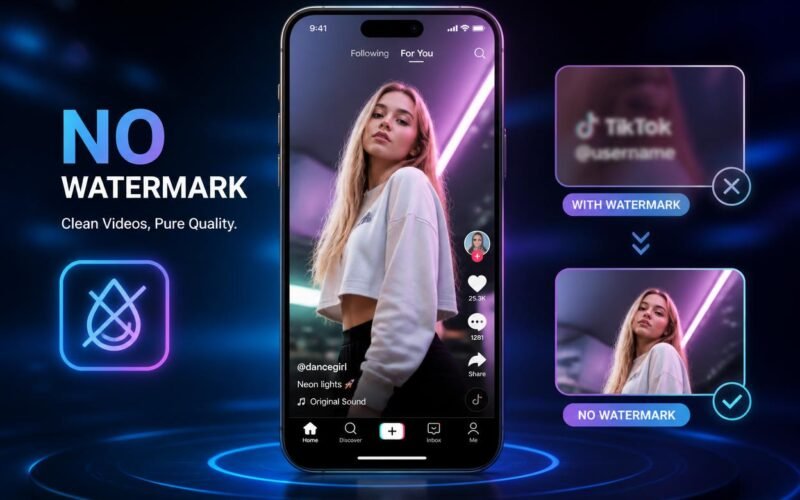
Every time you try to save a video directly inside the TikTok app, it stamps a large @username watermark and the TikTok logo right on the video. That watermark is permanently burned into the file. You cannot remove it with a normal video editor. It looks unprofessional, ruins the quality, and makes the video unusable for any other purpose.
The solution is simple. A free online tool called TikSave, built by Rimla Developers, lets you download any TikTok video in full HD quality with absolutely zero watermark — no app download, no signup, no payment required.
In this complete guide, we will show you exactly how to use it on iPhone, Android, and desktop computers.
Why Does TikTok Add a Watermark?
Before we get into the how-to, it helps to understand why TikTok adds this watermark in the first place.
When you tap “Save Video” inside TikTok, the app does not give you the original raw video file. Instead, it gives you a compressed version with two things added on top — the TikTok logo and the creator’s @username. TikTok does this for two reasons.
First, brand visibility. Every video shared outside of TikTok carries the TikTok logo, which works as free advertising for the platform wherever the video ends up — on WhatsApp, Instagram, YouTube, or anywhere else.
Second, creator credit. The @username watermark tells viewers who originally made the content, so creators get recognition even when their videos are shared off-platform.
The important thing to know is this — the original clean version of the video without any watermark exists on TikTok’s servers. TikSave fetches that original file directly, before the watermark is applied. That is why the downloaded video is completely clean. It is not removing a watermark — it is downloading the original.
Step-by-Step Guide: Download TikTok Without Watermark
The entire process takes less than 10 seconds. Here is exactly what to do.
Step 1 — Copy the TikTok Video Link
Open TikTok on your phone or computer. Find the video you want to download. Tap the Share button, which is the arrow icon on the right side of the screen. A menu will appear. Tap “Copy Link.” The video URL is now saved in your clipboard.
Tip: This works with any public TikTok video. If the account is private, you need to be following them to access their videos.
Step 2 — Go to TikSave and Paste the Link
Open your web browser and go to https://tiktok.rimladev.com
You will see a simple input box in the center of the page. Tap on it and paste your copied link. On mobile, you can long-press and tap Paste. On desktop, use Ctrl+V (Windows) or Command+V (Mac). Then tap the Download button.
Tip: No account, no signup, no personal information is required. Just paste and download.
Step 3 — Choose Your Format and Save
TikSave will process the link in a few seconds. You will then see two download options.
The first option is MP4 — this downloads the full video in HD quality with no watermark. The second option is MP3 — this extracts just the audio from the video and saves it as a music file.
Tap your preferred format. The file will download directly to your device — to your Photos on iPhone or to your Downloads folder on Android.
That is all. Your video is now saved in full HD, completely clean, with no watermark and no TikTok branding.
How to Download TikTok Without Watermark on iPhone
iPhone users sometimes have a slightly different experience when saving files from a browser. Here is the exact method that works reliably on iOS.
Open TikTok, tap Share, and tap Copy Link on the video you want. Then open Safari — Safari works better than Chrome for file downloads on iPhone. Go to tiktok.rimladev.com and paste the link. Tap Download and select MP4.
When the video loads in your browser, long-press on it. A menu will appear with an option to “Save to Photos.” Tap that, and the video will be saved directly to your iPhone Camera Roll without any watermark.
If you see the video playing instead of a download menu, look for “Download Linked File” or “Save to Files” in the long-press options. The file will go to your Files app, from where you can move it to your Photos.
How to Download TikTok Without Watermark on Android
Android makes this process even easier because the browser download manager handles everything automatically.
Open TikTok and copy the video link using Share and then Copy Link. Open Chrome or any browser on your Android phone. Go to tiktok.rimladev.com and paste the link. Tap Download and choose MP4 or MP3.
The file will automatically download and appear in your Downloads folder. You can also find it in your Gallery app, usually under a Downloads or Videos section. No extra steps are needed on Android.
How to Download TikTok Audio as MP3
TikTok is full of trending sounds, viral music clips, and great spoken content. TikSave lets you extract just the audio from any TikTok video and save it as an MP3 file.
This is useful for saving a trending sound to use in your own videos, creating a ringtone from a viral audio clip, keeping background music for your own content, or listening offline to a TikTok podcast or motivational speech.
The process is exactly the same as downloading a video. Just paste the link, tap Download, and choose MP3 instead of MP4. The audio will be saved in high quality.
Important note: Only download audio for personal use. Using copyrighted music commercially without a license may violate copyright laws.
What Makes TikSave Different from Other Downloaders?
There are many TikTok downloader tools available online. Here is what makes TikSave stand out.
No watermark. TikSave downloads the original clean video file from TikTok’s servers, so there is no watermark, no logo, and no username overlay on your video.
HD quality. The video is saved in the highest resolution available — up to 1080p when the original supports it. No compression, no quality loss.
MP3 audio extraction. Most downloaders only offer video. TikSave also lets you download just the audio track as a high-quality MP3 file.
No ads. Many competing tools are filled with pop-up ads and redirect pages. TikSave is clean and straightforward.
No signup required. You do not need to create an account, enter your email, or provide any personal information. Just paste the link and download.
No data stored. TikSave does not save your videos or your TikTok links on any server. The tool fetches the video temporarily to generate your download, and nothing is stored after that.
Completely free. No hidden charges, no premium plans, no download limits. TikSave is free for every user, every time.
TikSave vs Other TikTok Downloaders — Comparison
Here is a quick comparison of TikSave against the most popular alternatives.
| Feature | TikSave | SnapTik | SSSTikTok | TikTok App |
|---|---|---|---|---|
| No Watermark | Yes | Yes | Yes | No |
| HD Quality | Yes | Yes | Yes | Compressed |
| MP3 Audio | Yes | No | Yes | No |
| No Ads | Yes | No | No | Yes |
| No Signup | Yes | Yes | Yes | No |
| iPhone Support | Yes | Yes | Yes | Yes |
| Android Support | Yes | Yes | Yes | Yes |
| 100% Free | Yes | Yes | Yes | Yes |
As you can see, TikSave matches or beats every alternative on every important feature — especially on MP3 support and having a clean, ad-free experience.
Frequently Asked Questions
Is TikSave really 100% free? Yes, completely free. There are no hidden charges, no premium tiers, no download limits, and no account required. TikSave is free for everyone, with no expiry.
Does TikSave actually remove the watermark? TikSave does not remove the watermark — it downloads the original clean video from TikTok’s servers before the watermark is applied. The result is a completely clean HD video with no branding at all.
Why is my TikTok link not working? Make sure you are copying the full link using TikTok’s Share button and then Copy Link. Private videos, age-restricted videos, and videos from accounts that block downloads cannot be downloaded. Also make sure you are connected to the internet.
Can I download TikTok videos on iPhone without any app? Yes. TikSave works entirely in your mobile browser. Open Safari on your iPhone, go to tiktok.rimladev.com, paste your link, and download. No App Store installation is needed.
Is it safe to use TikSave? Yes, completely safe. TikSave does not store your videos, your TikTok links, or any personal information. The tool only temporarily fetches the video to give you the download link.
Can I download TikTok audio as MP3? Yes. After pasting your link and tapping Download, choose MP3 instead of MP4. The audio will be extracted from the video and saved as a high-quality MP3 file.
Is downloading TikTok videos legal? Downloading TikTok videos for personal use is generally allowed. However, re-uploading someone else’s content without giving them credit, or using downloaded videos for commercial purposes, may violate TikTok’s terms of service and copyright law. Always respect the original creator.
How many videos can I download per day? There is no daily limit. You can download as many videos as you want, completely free, with no restrictions.
Conclusion
Saving TikTok videos without a watermark used to be complicated. With TikSave, it is now a simple 10-second process that anyone can do on any device — iPhone, Android, or computer.
No watermark. No app download. No signup. No limits. No cost.
Whether you are saving videos for inspiration, repurposing content for your own channel, or just keeping your favorite clips offline, TikSave gives you a clean HD file instantly and for free.
Try it now at https://tiktok.rimladev.com
About TikSave
TikSave is a free web tool built by Rimla Developers — a premium web development agency based in Saudi Arabia. We build fast, SEO-optimized websites, e-commerce stores, and digital tools for businesses across the Kingdom.
If you need a professional website, online store, or SEO services for your business, visit us at https://ksa.rimladev.com or reach out on WhatsApp at +966 53 849 7723.
This blog post is published on ksa.rimladev.com Tool available at: https://tiktok.rimladev.com Contact: info@rimladev.com © 2025 Rimla Developers. All rights reserved.